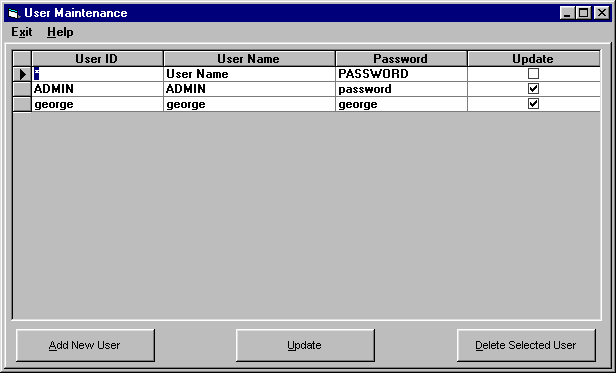
USER Maintenance
This option allows for the setup and maintenance of users. It is only required for networked users who desire security on their system but is available to single workstation users who desire an extra level of security to the tracking system. Database Security must be "turned on" for user security to apply.
USER ID - A unique identifier assigned to a user or group of users.
USER NAME - The name of the user or user group.
PASSWORD - A password assigned to a user or user group.
UPDATE - Select this option to allow the user all system update privileges except for the the ability to run the system setup program.
The options available from here are:
To ADD a user, select the add user option.
To Change a user's information, make the required changes in the data table and select update.
To DELETE a user, highlight that user in the list and select the delete option. You cannot delete the ADMIN user.