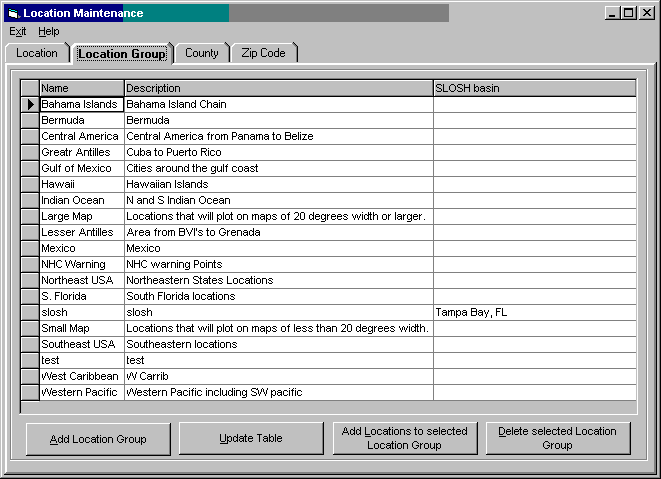
Location Maintenance - Location Groups
This option allows the user to establish new or change/delete existing location groups. Location groups are any logical collection of locations. For example if you are responsible for 10 locations you can create a location group that has all of those locations in it. The association of location to location groups is done in the Location Group/ Location Maintenance function. There are several pre-defined location groups supplied with the system. We suggest that you do not delete them.
Name - This identifies the location group's name
Description - A short description of the location group.
SLOSH Basin – This identifies the SLOSH basin that is associated with this location group. It only needs to be specified when the location group is being used to generate a SLOSH report.
The options available from this report::
To ADD a location group, select the add location group option and modify data fields.
To Change a location group's information, make the required changes and select the update table option.
To Add Locations to a location group, highlight that location group in the list and select the Add Location to selected Location Group option.
To DELETE a location group, highlight that location group in the list and select the delete selected Location Group option.