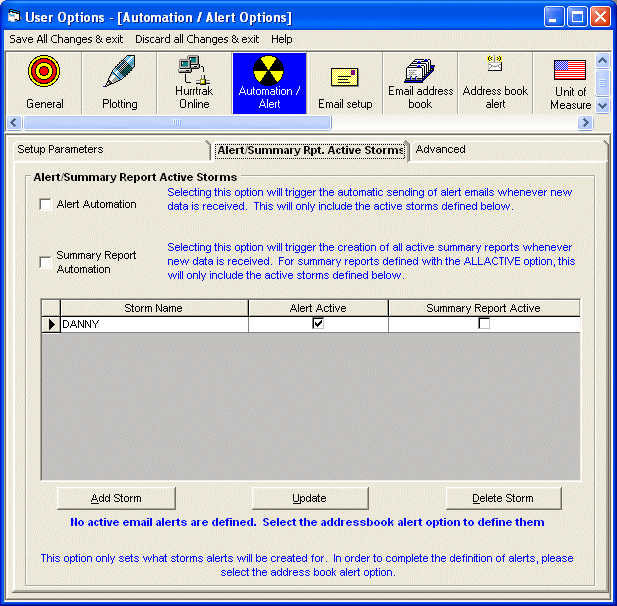
This options
triggers the creation of all active SUMMARY reports whenever new data is received.
For summary reports defined with the ALLACTIVE option, this will only include the
active storms defined below.
This activates/deactivates
the automatic generation of Email Alerts. Email Alerts
are automatically generated when new data arrives via HURRTRAK - Online
or can manually be initiated via the REPORT option on the main menu.
This table defines all of
the valid Alert and/or Summary Report Storms as well as an active/deactivate
indicator. This allows the user to turn on/off Automatic Email
Alerts and Summary Reports by storm. This could be used by pre-defining all
of the storms for a upcoming season and then activating
them as required.
One important exception.. the "new storm"
Alert does not require an entry
in this table in order for that condition to automatically send
an Email alert.
Automation
/ Alert Setup
This option
allows the user to maintain Automation/Alert preferences. Point and click on
the options shown above for a description of
what they control.