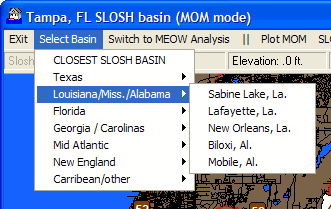
This option allows the user to select a different SLOSH basin.
All of the available SLOSH basins are displayed as well as the option to
select the closest one to the currently displayed geographical area.
SLOSHView Main Chart Select Display (MOM Mode)
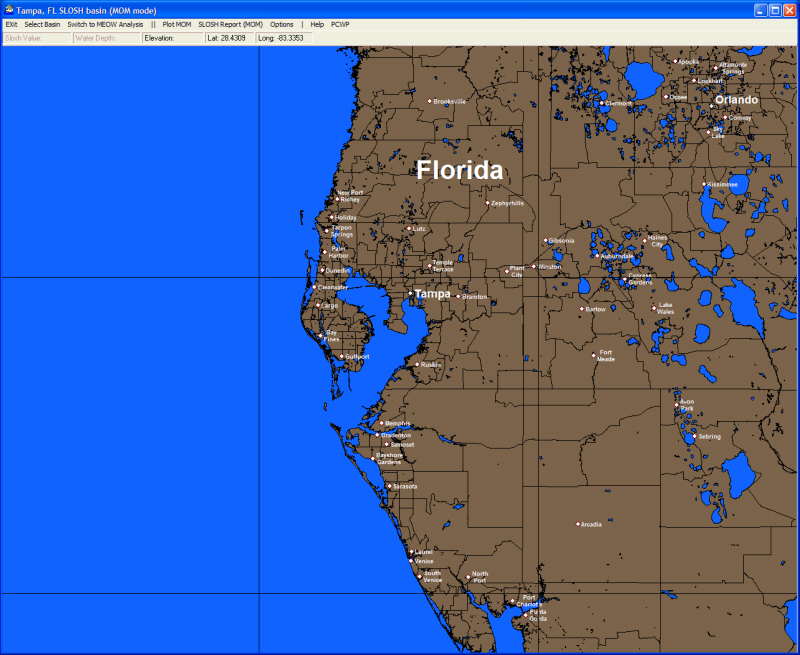
When the system starts or switching to MOM mode (or selecting reset image), the user is presented with a map image. Use the left mouse button to zoom into the area of interest (use the right button to zoom back out). When the desired map area is displayed, there are several menu options available. They include:
Exit Select Basin Switch to MEOW Analysis Plot MOM SloshReport (MOM) Options Help
CLICK on any of the above commands to learn more
An additional configuration set of options is available by right mouse clicking any area of the map image. Click here to learn more.
Please note: Street Atlas data is only available for the US Gulf and East Coastal States as well as PR and the USVI.