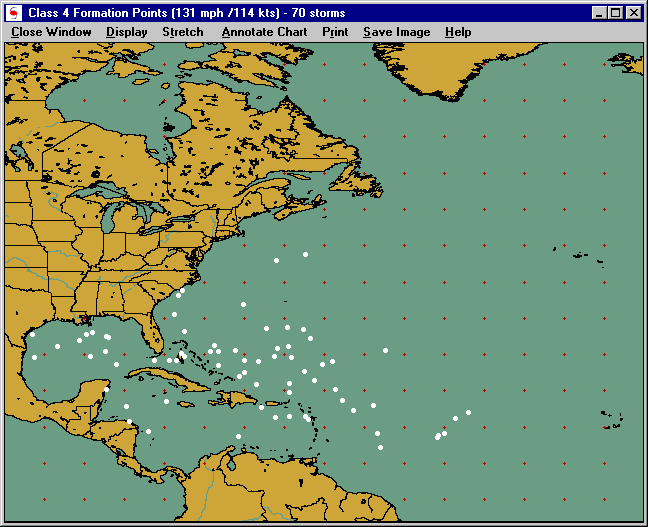
Formation points chart
This window displays the results of the formation point select query. It shows a white circle for every storm that attained the level as specified in the selection.
Options available include:
Close Window - Closes this window
DISPLAY:
Display Locations - Displays the locations in the selected location group.
Display Latitude/ Longitude values - Displays latitude and longitude labels along the sides and top of the tracking chart
Stretch - Displays the tracking chart in "full screen" mode. No operations can be done while in this mode as it is only for viewing. Clicking the mouse button will return you from stretch mode.
Annotate Chart - Allows the user to add his/her notes to the tracking chart being displayed. After selecting this option, you select the point you wish to add comments by pressing the right mouse button on the screen and then entering the text desired. When done click on "end annotate" on the menu bar.
Print:
Auto - Prints the current image allowing the system to determine which print mode. I.E. If you have a color printer, it will print the image in color.
Force Color - Prints the current image in color. If you have a B/W printer, your print driver will convert the colors to gray scale.
Force B/W - Prints the current image in gray scale B/W regardless of your printer type. Controls for contrast and brightness are shown and then can be adjusted before printing.
FAX Print - Prints the current image after first converting the colors to B/W. Land and water areas are white and all remaining features are black. This image is suitable for faxing
Save Image:
Copy to Clipboard - This option allows you to save the viewed image to the windows clipboard. From here most graphic software will allow you to paste the image onto their "work area".
Save as BMP - This option saves the current image to a BMP format. A dialog box is displayed allowing you to specify the file name and location. Most word processors, graphic programs, etc.. will accept BMP images.
Save fax image to File - Saves the current image to a BMP, PCX, TIF, or JPG file after automatically modifying the image to "line art". All colors are changed to black while the Ocean and Land areas are set to white.
Help - Displays this help screen