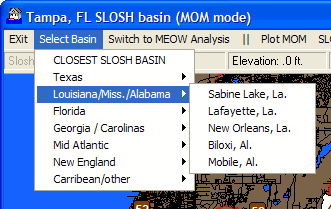
This option allows the user to select a different SLOSH basin.
All of the available SLOSH basins are displayed as well as the option to
select the closest one to the currently displayed geographical area.
SLOSHView Data Display (MEOW)
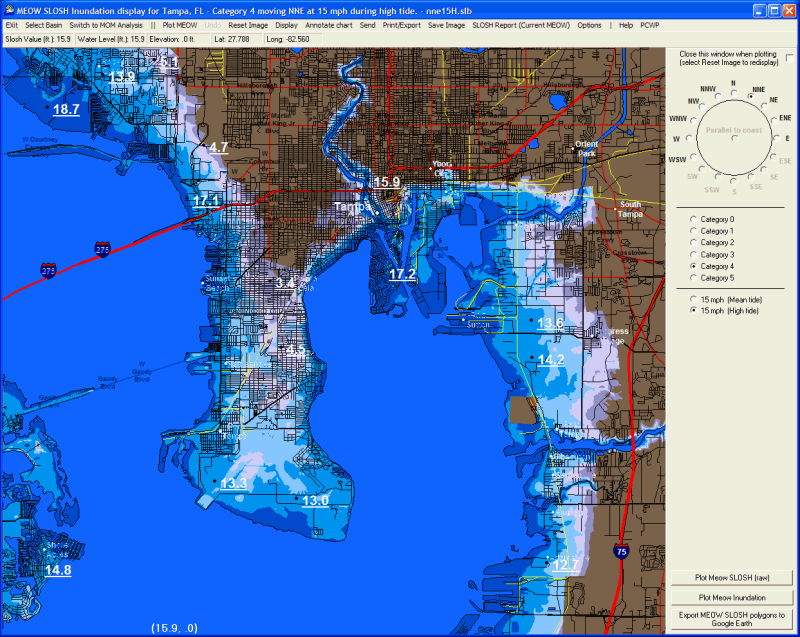
While viewing SLOSH MEOW plots on a chart, there are several menu options available. They include:
Exit Select Basin Switch to MOM Analysis Plot MEOW Undo Reset Image Display Annotate Send Print Save Image SloshReport (MEOW) Options Help
CLICK on any of the above commands to learn more
In
MEOW mode an additional set of options is shown on the right side of the screen.
They include:
Storm
Motion Compass – Select
the direction in which the storm situation being analyzed is moving.. i.e. A storm
moving towards the NNE should have NNE selected.
Storm
Category –
Select the category of the storm situation being analyzed.
Storm
Speed/Tide –
Select the storm’s forward motion and tide (if available).
Plot
MEOW SLOSH (raw) – This
matches the Plot MEOW menu command and is put on the right side panel for convenience
Plot
MEOW Inundation – This
matches the Plot MEOW menu command and is put on the right side panel for convenience
Export
MEOW SLOSH Polygons to Google Earth - This
matches the Plot MEOW menu command and is put on the right side panel for convenience