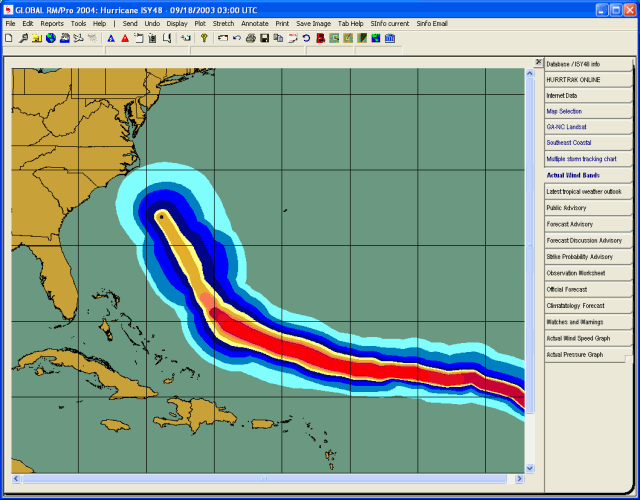
Wind Bands Tab

Description:
This tab displays the actual and/or forecast wind band analysis information
for the current loaded storm. Additional storm tracking and analysis functions
are available from here. The
2nd image is an example of likely sea heights with Hurricane Ivan.
Note: The wind and sea height analysis
images are identical. The only difference
is the legend selected.
Tab Created by: Map Select Tab, Variable Track Chart Tab, Favorite Tracking Chart Tab
Tab Close Allowed: Yes
Functions Available:
Menu/Toolbar:
Standard System Menu Functions
TOOLBAR Options Available:

Plus Sign - This option zooms in and re-plots the map.
Minus Sign - This option zooms out and re-plots the map.
Bullseye - This option centers the map on the storm at the current zoom level.
Left Arrow - This option pans the map to the west and re-plots the map.
Up Arrow - This option pans the map to the north and re-plots the map.
Down Arrow - This option pans the map to the south and re-plots the map.
Right Arrow - This option pans the map to the east and re-plots the map.
Miscellaneous:
The
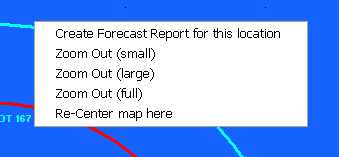
user can zoom in by rubber banding an area on the screen. Other pan and zoom options
are available by right clicking anywhere on the map image.
Tips:
You can specify the wind band wind levels from the Wind Band Options.