This
option adds a new MS Outlook address to the Hurrtrak email database.This is only necessary if you plan on setting up alerts or summary report
for this email address.
Creates a new record in
the table. Modifications typically need to be made to the newly added record
in order to add another.
Deletes the selected record
in the table.
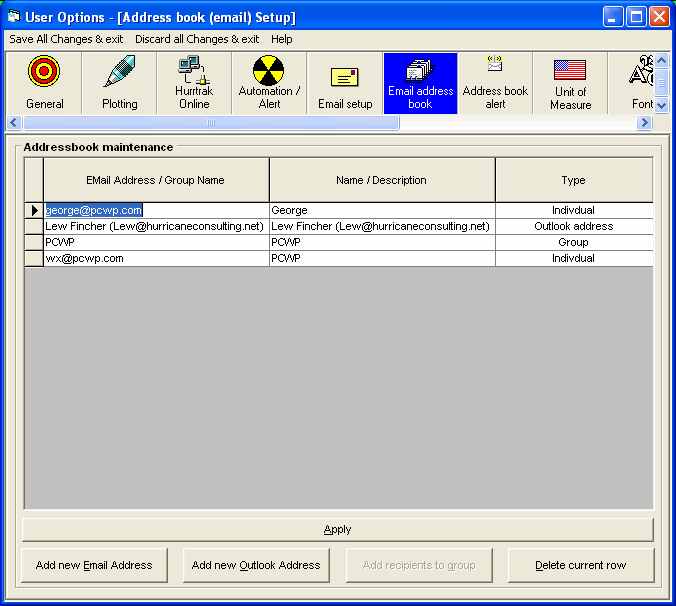
The Email address of a potential
recipient OR the name of a Email Group. The type of Addressbook
entry is defined by the type field (Individual or Group). A typical individual
Email address has a name and a domain, i.e. terryforster@atlantabraves.com.
A group name is a short identifier for the group,
i.e. WX Group.
The name of the individual
(if type is an individual) or the description of the group (if type is a group).
This information is informational only and not
used by the system.
Identifies the type of Addressbook
entry. Ind. is an individual Email recipient
which Group is a list of Email recipients.
Email
Addressbook
This
option allows the user to maintain their personal Email Addressbook.
Point
and click on the options shown above for a description of what they control.